
You are using an out of date browser. It may not display this or other websites correctly.
You should upgrade or use an alternative browser.
You should upgrade or use an alternative browser.
Custom Mando Art
- Thread starter kalika
- Start date
Wayii! I have a 2 page thread! lol Yeah Pacx I'll get it posted this afternoon sometime... I have a few things to do this morning. A'den, ur sketch is under way, but temporarily stalled... I need to do some yard work and study for a few hours before I do anything else... and I need to work on my gaunts.
Kal
Kal
Aden Kyramud
Active Hunter
I love it ner vod!!!  Thank you!!! This is gonna help a lot in getting the overall look of this armour!
:cheers
A'den
Thank you!!! This is gonna help a lot in getting the overall look of this armour!:cheers
A'den

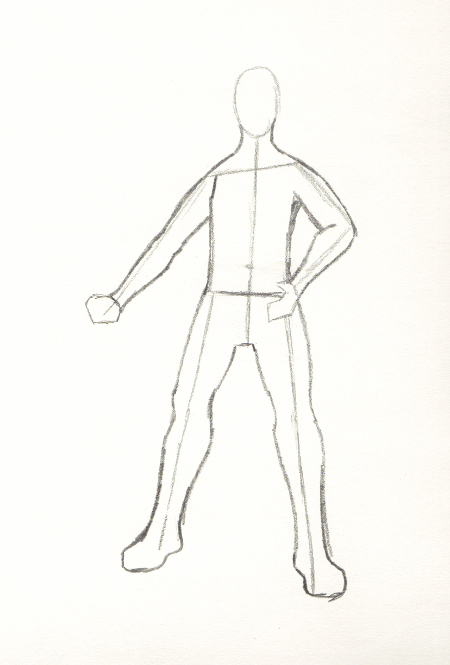
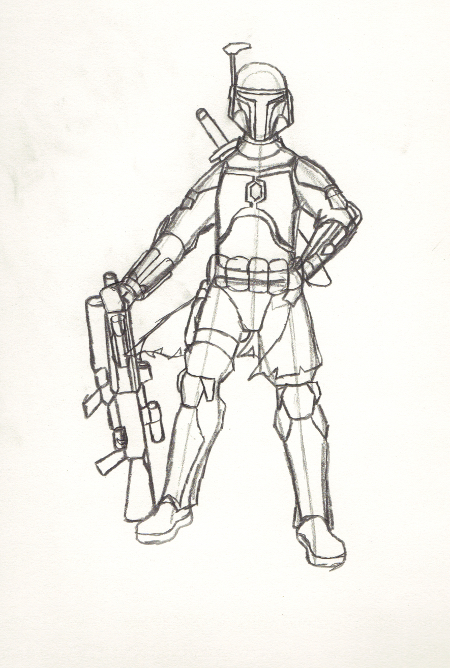
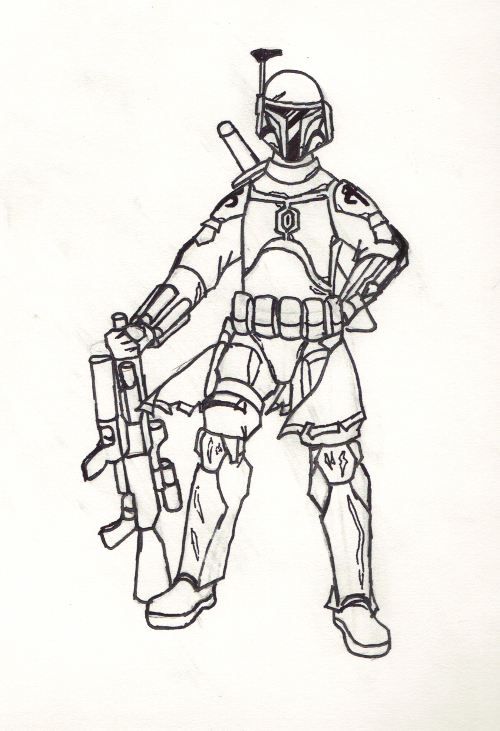
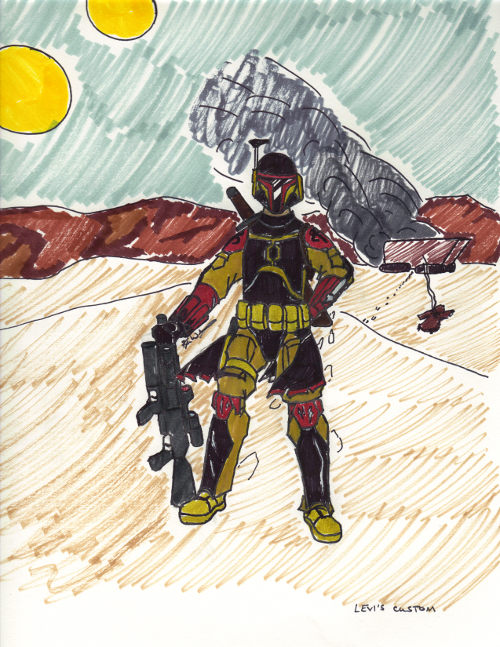
Okay here's my sketch tutorial (which is also Levi's custom) as promised. it is a 5 step process.
Step 1: draw a wire frame for posing and as a representation of bone structure. remember the rules of proportionality here. from centermass to fingertip is always half the total height. males are always a 50/50 split. %50 above the waist, %50 below the waist. Females are a 40/60 split.
Step 2: draw anatomy- add musculature and body mass where needed and as appropriate. this is the point where u need to make sure that u have everything even and proportional. Also, this is where u add any gender specific anatomic structure.
Step 3: draw add ons- draw on anything extra at this point. Armor, helmets, weapons, kit, any accessories u may want to add at this point and anything in close proximity to the subject.
Step 4: line it out- using a black felt tip pen/marker, trace ur existing pencil sketch, tracing only the essential lines to cover what u need. then, take a big eraser to the whole sketch to make a clean picture. This step can also be accomplished in Photoshop or Gimp.
Step 5: add in any background u may choose, and color ur picture using quality fine tip coloring pens or one of the afforementioned photo editing software systems.
Oh... I forgot a crucial step!
Step 6: Share your art! Don't keep it to urself... that's just rude! Show people ur talent and let others enjoy ur work.
Congrats, u now have a successful mando sketch.
Kal
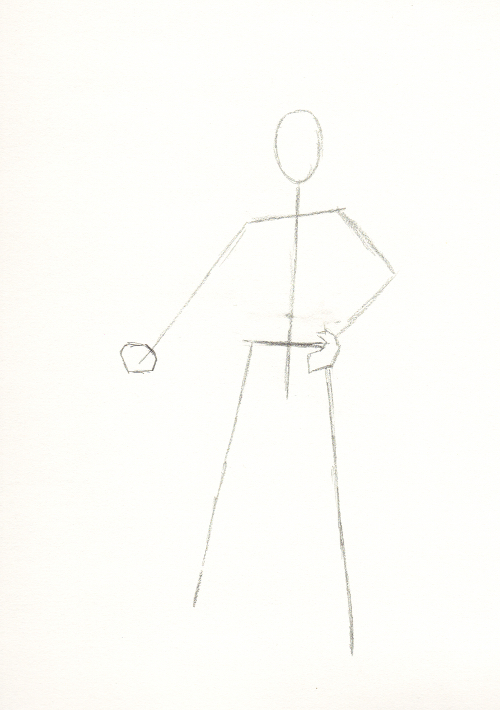
Step 1: draw a wire frame for posing and as a representation of bone structure. remember the rules of proportionality here. from centermass to fingertip is always half the total height. males are always a 50/50 split. %50 above the waist, %50 below the waist. Females are a 40/60 split.
Step 2: draw anatomy- add musculature and body mass where needed and as appropriate. this is the point where u need to make sure that u have everything even and proportional. Also, this is where u add any gender specific anatomic structure.
Step 3: draw add ons- draw on anything extra at this point. Armor, helmets, weapons, kit, any accessories u may want to add at this point and anything in close proximity to the subject.
Step 4: line it out- using a black felt tip pen/marker, trace ur existing pencil sketch, tracing only the essential lines to cover what u need. then, take a big eraser to the whole sketch to make a clean picture. This step can also be accomplished in Photoshop or Gimp.
Step 5: add in any background u may choose, and color ur picture using quality fine tip coloring pens or one of the afforementioned photo editing software systems.
Oh... I forgot a crucial step!
Step 6: Share your art! Don't keep it to urself... that's just rude! Show people ur talent and let others enjoy ur work.
Congrats, u now have a successful mando sketch.
Kal

lol no prob... kandosii ner vod! I was channeling the Tatooine theme on this one. U said bounty Hunter, and ur colors just fit it perfectly... All subdued tones, on a tan flight suit and tan webgear, all stuff u can easily (and cheaply) obtain from almost any LE/Mil supply, surplus, or airsoft store. Did the tutorial help?
Kal
Kal
Similar threads

- Replies
- 11
- Views
- 4,959


- Replies
- 21
- Views
- 1,401